I’ll be honest with you.
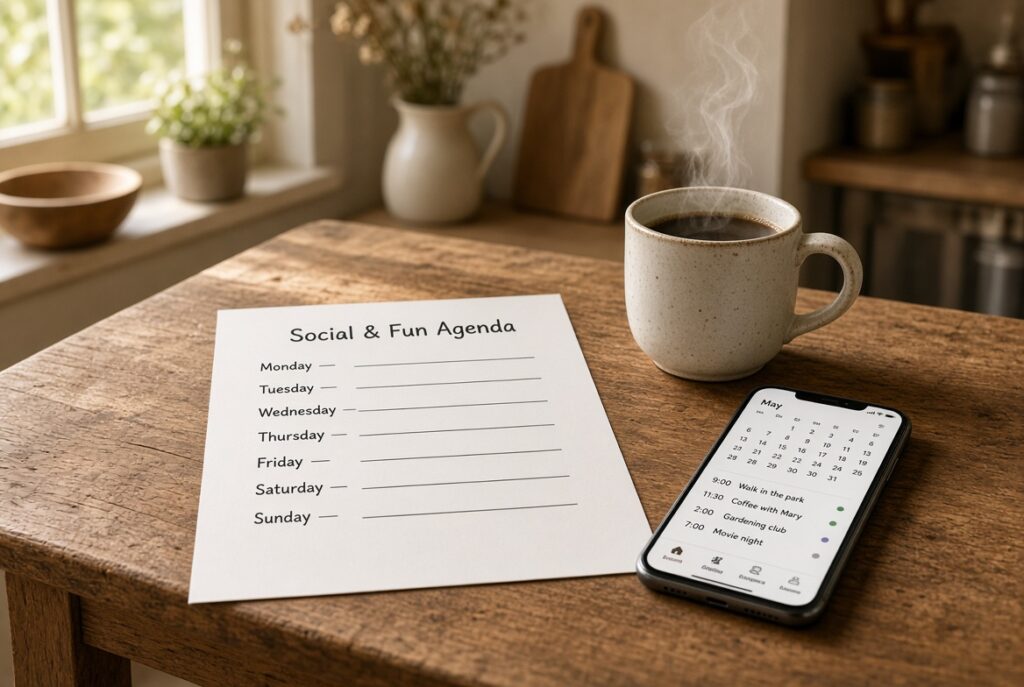
Work keeps you busy whether you like it or not. Then the calendar gets quieter, and the days start to look the same. I wanted a simple way to use AI as a social calendar — not a packed schedule, just a few real things to do so the week doesn’t disappear.
I’m 67. I spent my career in the restaurant world. I’m not a social butterfly, and I’m not a tech expert. I also don’t want to sit around feeling lost just because nobody is handing me a schedule anymore.
So I started using AI as a simple social calendar — like a patient friend who knows what I like, suggests a few real things to do, and helps me put them on the week so I actually go.
It is not a robot running my life. It is a helper that stops the blank-page problem.
What This Is (and What It Isn’t)
This is not AI secretly booking things and charging your card.
This is:
- You tell AI who you are and what you enjoy
- It builds a short weekly “Social & Fun Agenda”
- You pick what feels doable
- You put those on your phone calendar (or print the page)
- After the week, you tell it what worked
That’s it. Small. Repeatable. Kind.
If you already have a post-it on the fridge that says “call somebody,” this is that idea with a little more structure.
How I Use AI as a Social Calendar in 5 Minutes on Sunday
I do this on Sunday with coffee.
- Open Grok (or whatever AI you already use).
- Paste the prompt below.
- Change the details so they sound like you.
- Ask for one week only, not your whole year.
- Pick 2 to 4 things. Not 12.
- Put them on the calendar before you stand up.
Two to four things is plenty. One outing plus one easy “out of the house” moment is a good week. Rest counts too.
Copy-and-Paste Prompt
Paste this, then edit the bracketed parts:
You are a kind, practical friend helping me enjoy the week — not a life coach and not a cruise director.

About me:
- Age: [your age, for example 67]
- I live near [your city and state]
- Energy: [low / moderate / high]. I like being out, but I don’t want a packed schedule
- I prefer [daytime / evenings]
- Driving: I’m okay within about [20 / 30 / 40] minutes
- Budget: keep most ideas free or under $[amount]
- Interests: [walking outside, good food, learning something simple, dogs, cooking, local history, movies, easy conversation — delete what doesn’t fit and add yours]
- I am not looking to become a social butterfly. I just don’t want the week to disappear.
- Include a mix: one “easy and close,” one “a little more interesting,” and one optional stretch idea.
- Avoid anything that feels like a sales pitch or a huge group of strangers if I didn’t ask for that.

Please give me:
1. A short weekly Social & Fun Agenda for [dates of the coming week]
2. For each idea: day, time-of-day, why it fits me, what to wear / bring, and a simple next step (website, search phrase, or “call the library”)
3. A printable version I can put on the fridge — short lines, no fluff
4. 3 calendar entries written so I can copy them into Google Calendar or Apple Calendar
5. One backup indoor idea if the weather is bad

End with 3 questions I can answer next Sunday so you get better at planning for me.
That’s the whole trick. The more honest you are in that first paragraph, the better the week looks.
If this is your first time talking to AI, start here: How to Start Using AI Without Feeling Overwhelmed.
A Sample Week After You Use AI as a Social Calendar
Here’s the kind of agenda I like to get back. Yours will be different. That’s the point.
Monday Easy walk at a local park or lake. 30–40 minutes. No agenda except moving and looking around. Next step: pick the park closest to you and put a start time on the calendar.
Wednesday Library talk, community class, or a short museum / history stop. One hour. Sit near the back if you want an exit. Next step: search “[your city] library events this week.”
Friday Lunch or coffee someplace you already like. Invite one person or go alone with a book. Both count. Next step: choose the place first. People are optional.
Optional Saturday Farmers market, a simple cooking project, or a Meetup that matches one interest (walking group, photography, food, volunteering). If it feels like too much, skip it. No guilt.
Weather backup Matinee movie, or ask AI: “Give me a 90-minute indoor Saturday at home that still feels like I did something.”
Notice what’s missing: a packed schedule, networking events, and “you should get out more.” Nobody needs that tone.
How to Get It Onto Your Calendar
You do not need a fancy system.
If you never use a phone calendar, skip it.
Turn these 3 activities into calendar events.
Give me the title, date, start time, and a 1-sentence description I can paste into Google Calendar or the iPhone calendar.
Then create the events yourself. It takes a few minutes the first time. After that it’s easy.
Fridge version Ask:
Make a simple one-page fridge agenda. Large type. No extra words.Print it. Stick it up. That’s a social calendar you can see without unlocking a phone.
You do not need a fancy calendar setup.
The printed page on the fridge is enough. If you never use a phone calendar, skip it.
If you do want reminders, use the calendar you already have — work with Outlook, Hotmail, Google, whatever is already open on your computer. Ask AI:
“Write these 3 plans as simple calendar entries: title, day, time, one-sentence note.”
Then type those three events in yourself. That’s it.
If adding events on a phone feels like a hassle, don’t. A paper list you actually look at beats a calendar you never open.
If you hate typing Use voice. Say the prompt out loud. AI is patient with messy sentences. That’s one of the best parts.
Where Real People Actually Are
AI can suggest. Real life still happens in real places.
Good starting points:
- Meetup.com — search walking, food, photography, volunteering, books
- Your library events page
- Local Facebook groups (you may already be in some)
- Nextdoor — nearby walks, sales, and small gatherings
- Community rec centers and senior programs, if that feels comfortable
- The same coffee shop at the same time each week. Familiar faces count.
- Eventbright
- Google Calendar
You do not have to “put yourself out there.” You only have to pick one thing and show up once.
The Part That Makes It Get Better
This is the part I like.
After the week, I tell AI the truth:
Here’s how the week went:
- I did:
- I skipped:
- This felt good:
- This felt like too much:
- Next week I want more / less of:

Please build next week with that in mind. Keep it light.
That’s how it becomes a trusted friend instead of a random list generator. You’re training it, the same way you’d train a good assistant at work.
A Few Other Ways I Use AI in a Quiet Week
Once you have this habit, other things get easier too:
- “I have a free Tuesday. Give me 3 options under 2 hours.”
- “Help me write a short text inviting someone to coffee without sounding awkward.”
- “What should I wear / bring to a Saturday market in Colorado in August?”
- “I overdid it. Help me plan a recovery day that still feels decent.”
Those are small, but they keep the week from going blank. I also wrote about the everyday stuff I actually use it for in How I Use AI Every Day as a 67-Year-Old and 10 Practical Ways AI Can Help You in Daily Life.
If You’re Feeling Isolated
You’re not the only one. A lot of us are better at work than we are at building a social life from scratch.
AI won’t replace people. It can make the next step smaller so you don’t stall on the couch.
One outing. One conversation. One printed page on the fridge.
That’s enough to start.
If you want the short version of who I am and why I built this site, it’s on the About page.
If you try this, tell me in the comments what you put on your week. I read them. I’ll keep sharing what I learn as I go.
Andrew
Want more plain-English AI help? Get my free 9-page starter guide.
The guide arrives in your welcome email right after you confirm.